Opens by its path, stays live
Drag a .md into a tab or press Cmd/Ctrl+O. Save it in your editor and the change appears within two seconds; reload keeps the document and your place.
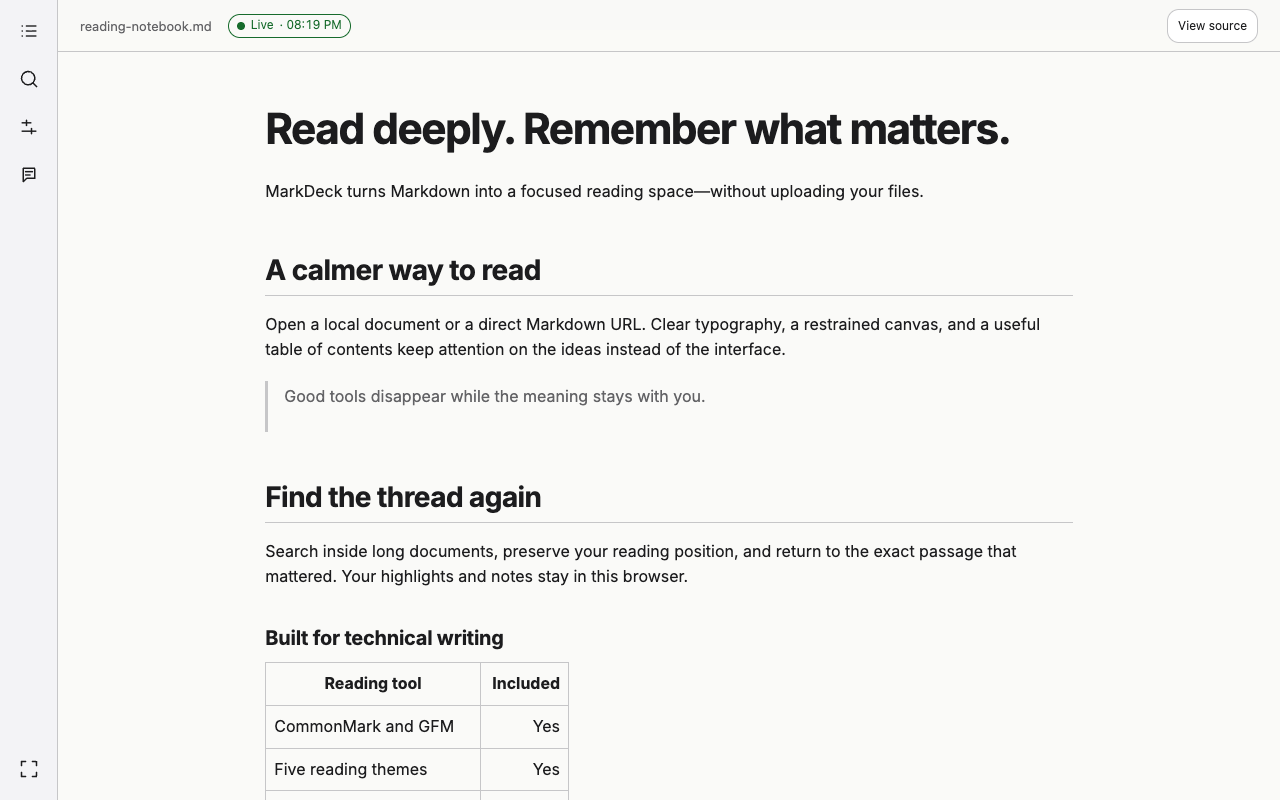
Markdown viewer for Chrome, Edge and Firefox
Open a local .md file in your browser and read it as a focused document. The tab keeps the file, so saving shows the change and reloading keeps your place.
CommonMark and GitHub Flavored Markdown become a navigable reading surface while the source stays one click away.
Drag a .md into a tab or press Cmd/Ctrl+O. Save it in your editor and the change appears within two seconds; reload keeps the document and your place.
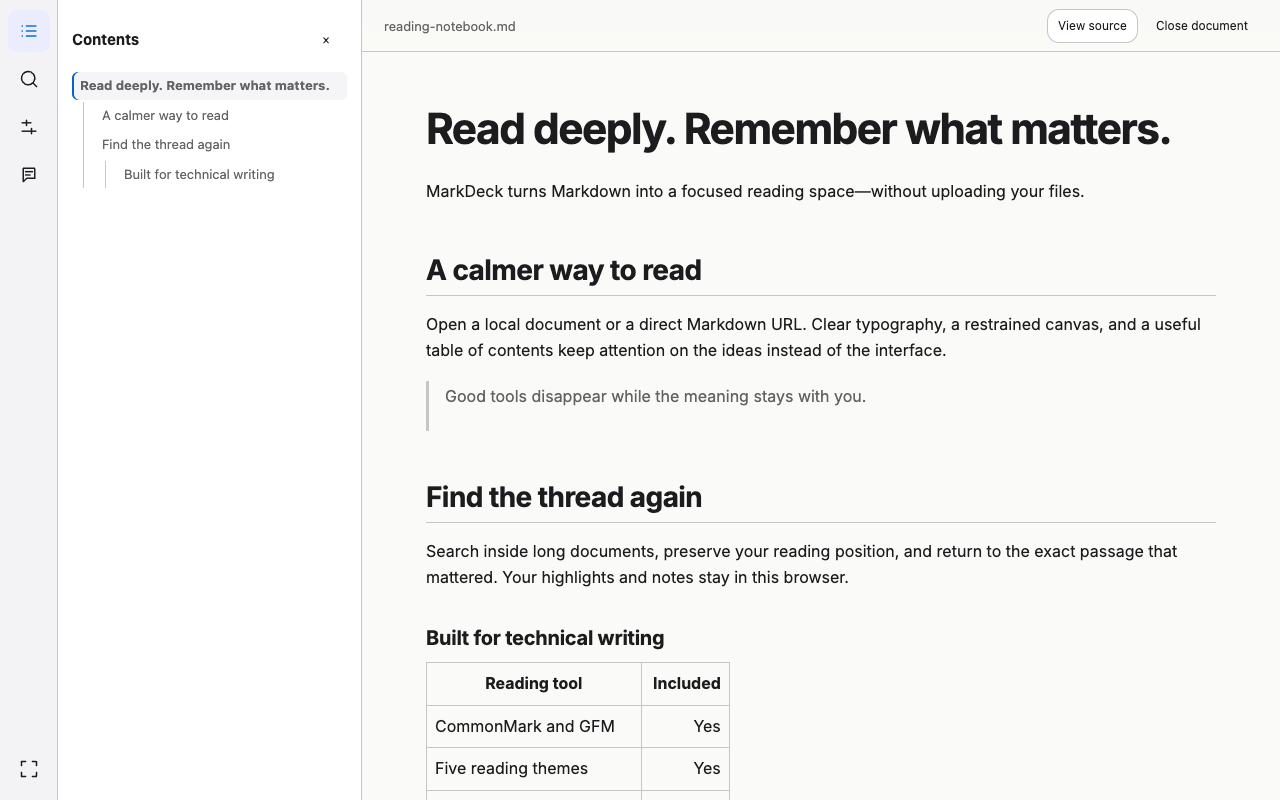
Use the outline, in-document search, reading progress and zen mode.
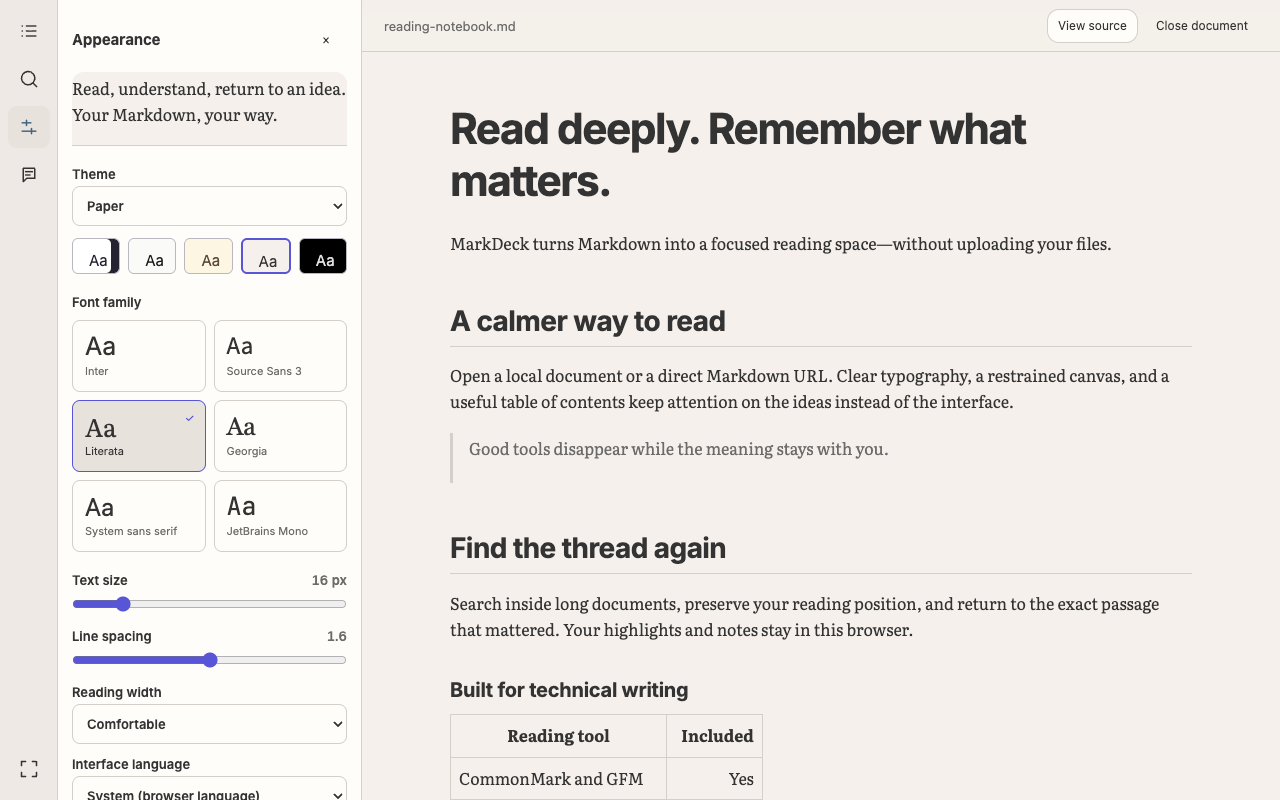
Choose among five themes and six font choices, then tune size, line spacing and reading width.
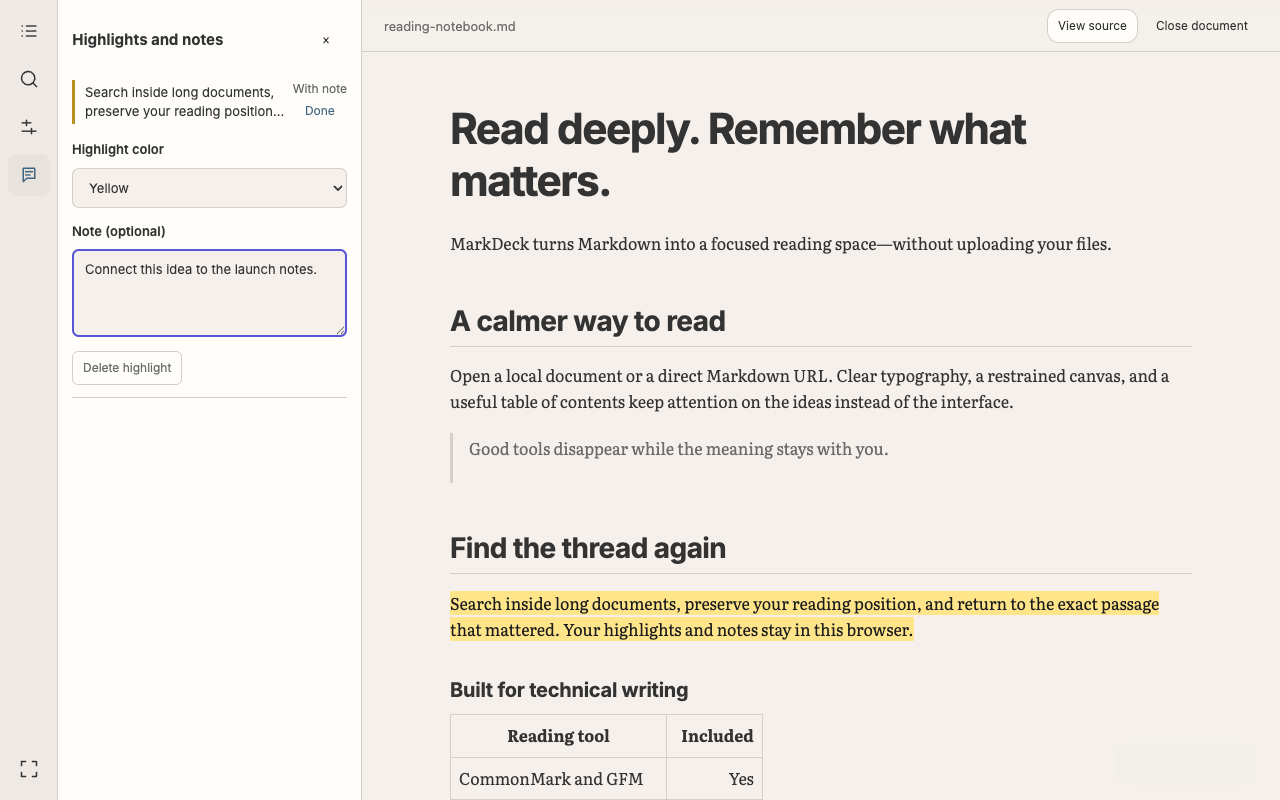
Highlight a passage and attach a note. Highlights follow the document through edits, renames and copies.
Local files are read on your device. MarkDeck has no account, ads, analytics, telemetry, payments or backend service.
Read the privacy policy